The “Product Clone” feature streamlines the process of creating new similar products by allowing users to duplicate existing products entries belonging to their company and tweak them as they see fit. Cloning a product may be useful to shorten data entry if its ingredient list is similar to another product’s. For example, a yellow lemon-scented ammonia cleaner may have the same set of ingredients as a purple lavender-scented ammonia cleaner except for the chemicals that give color and fragrance.
To begin the process, a user can navigate to their “Company Products” products page. Every item registered will have two available options. One to ‘View’ the product, and another to ‘Clone’ the product. Clicking ‘Clone’ will take you to the ‘Add Product’ page. All the attributes of the product will be pre populated with the product information you chose to ‘clone’. At this point the user can review the auto populated information and modify any fields as they see fit for the new iteration of their product.
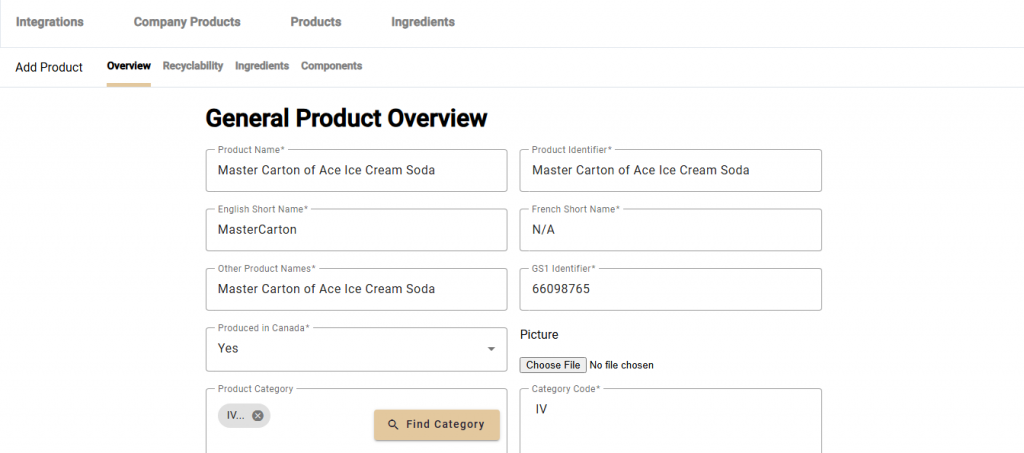
The ‘Product Name’ and ‘Product Identifier’ fields must be different from their cloned source. The ‘Product Image’, ‘Safety Data Sheet’ and ‘Recycling Instructions’ file uploads are not copied with the clone tool, and must be uploaded at this point in the process.