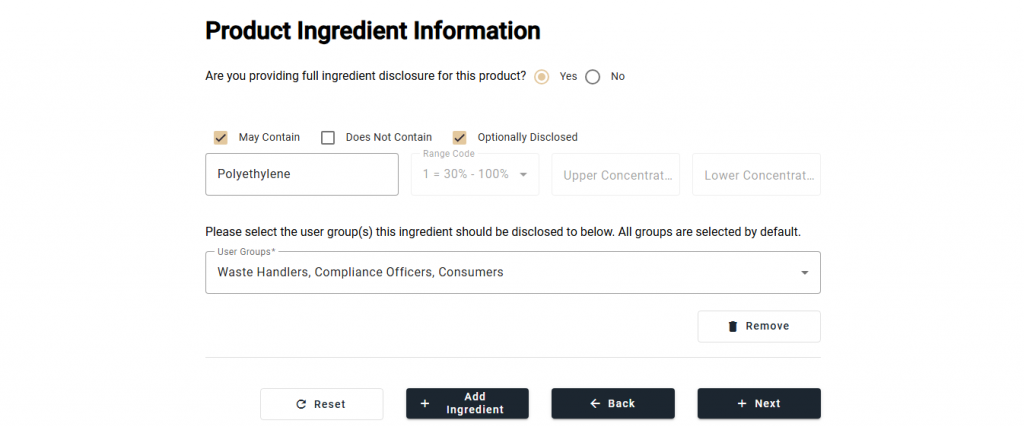
EcoChem enables adding icons on products to symbolize whether its ingredients are fully or partially disclosed. At the top of the Product Ingredient Information, the user selects YES if full disclosure is being made, or NO otherwise.
To add an ingredient to the product, select [+ Add Ingredient]. 2 checkboxes (May Contain and Optionally Disclosed) appear that can be selected as required. 4 input fields for the ingredient appear also.
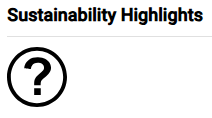
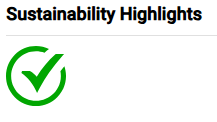
A ? symbol appears on the product disclosure display to the consumer when a product is partially disclosed. A check mark symbol appears on the product disclosure display to the consumer when a product is fully disclosed.
May Contain
The May Contain checkbox enables a user to provide ingredients that may appear in trace amounts in a product or may represent differences in ingredients and their chemicals, which are used by the brand’s factories for the same product in various countries.
Does Not Contain
The Does Not Contain checkbox enables a user to provide ingredients, such as allergens or PFAS ingredients, that certifiably do not appear in a product.
Optionally Disclosed
The Optionally Disclosed checkbox enables a user to state that the next ingredient it provides is not mandatorily disclosed, but is voluntarily disclosed to provide as much information to the regulator, consumer, recycler, and disposer to support a circular product.
Ingredient Input
Users may search for an ingredient in the first input field to avoid spelling errors, especially on long chemical names. While ingredients are mostly substances, there are data entry exceptions. For example, when a user specifies an ingredient as a Flavor or a Fragrance in order to anonymize the actual flavor-related ingredients, the Flavor or the Fragrance is not the actual substance(s) used in the formulation. Thus ecoChem enables the user to anonymize an ingredient in a category.
If the ingredient is restricted or the user volunteers concentration data, the user selects a “Range Code” to represent the ingredient concentration in the second input field. Users then supply an upper concentration.
The user then selects [+ Next].